

Beta
Welcome to Recipe Route Beta! As an early tester of our platform, you have the chance to help create a next-generation food system that makes local, healthy, delicious food easy! Oh yeah, and you’ll get some free food out of the deal!
To get started:
We are currently testing delivery on our web application.
Once logged in, Click ‘Create’
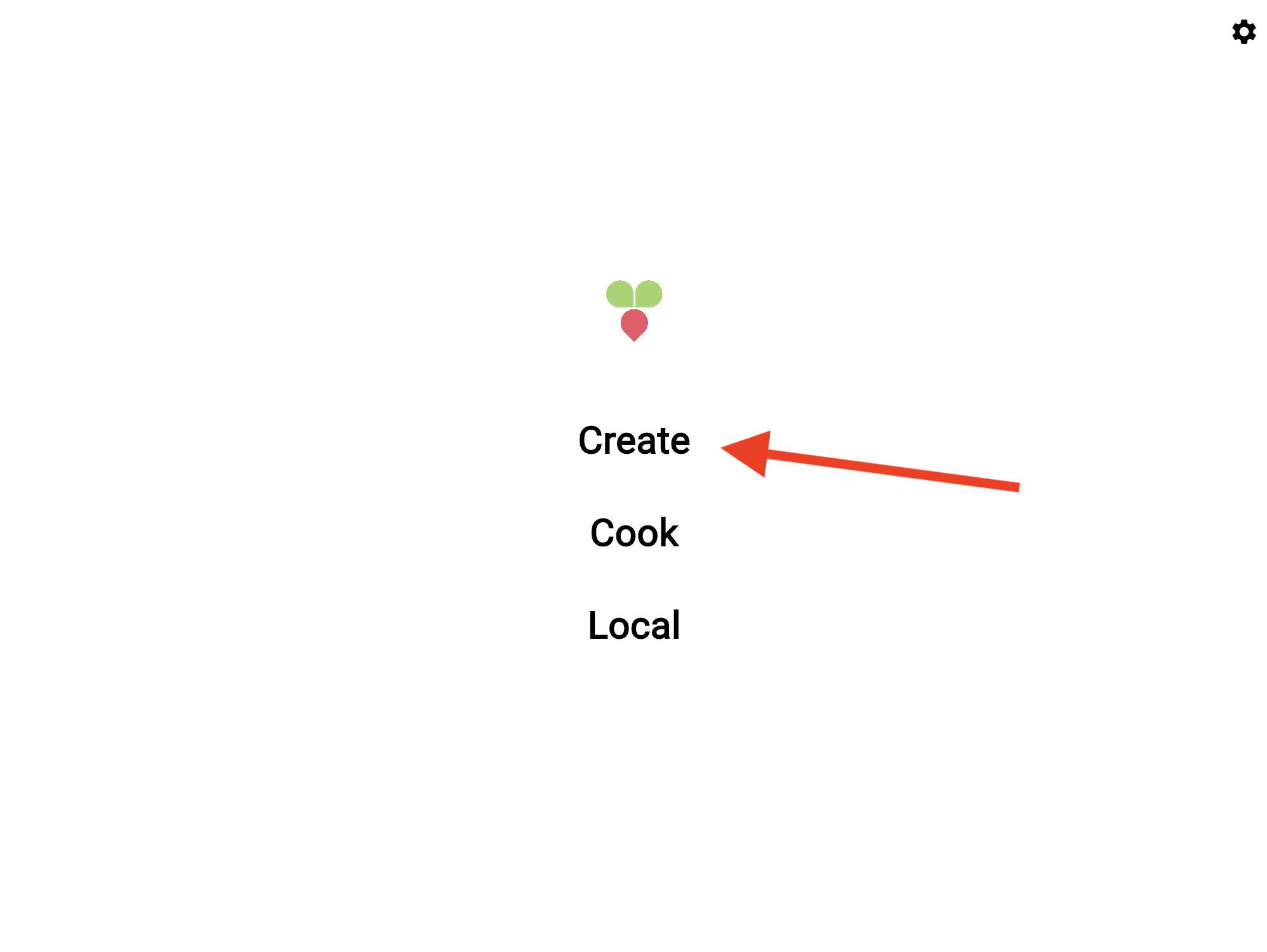
3. Make sure your location services are on. If prompted for permission to use your location, be sure to accept! Recipe Route needs your location in order to pair you with a local food hub.
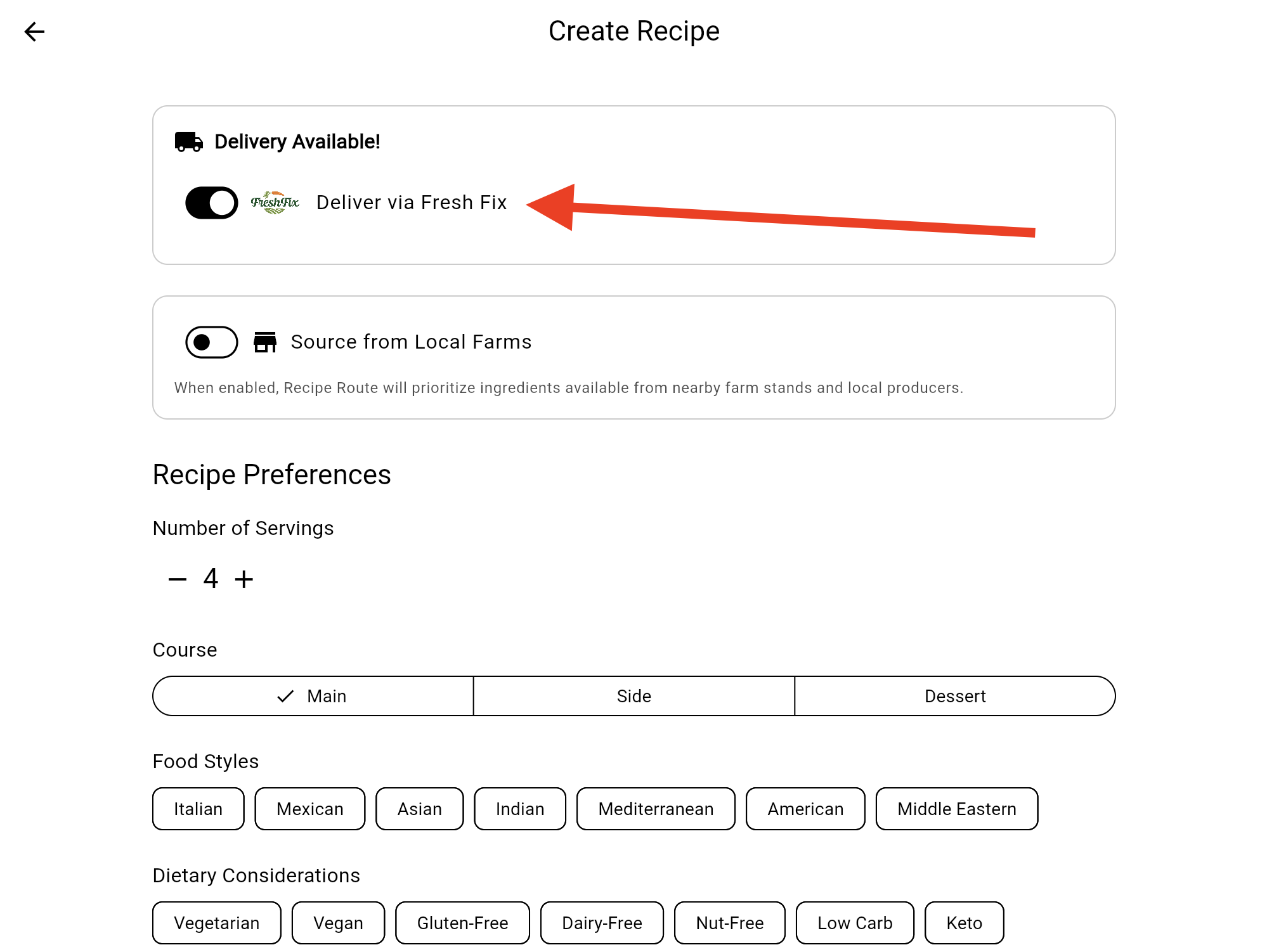
4. Under ‘Delivery Available’ turn on a food hub that is available to order from.
5. Set the number of servings, course, and any food styles/dietary considerations you may be interested in. You can even enter custom prompts like ‘kid friendly’ or ‘it must be spicy tacos!’.
6. Press ‘Create’!
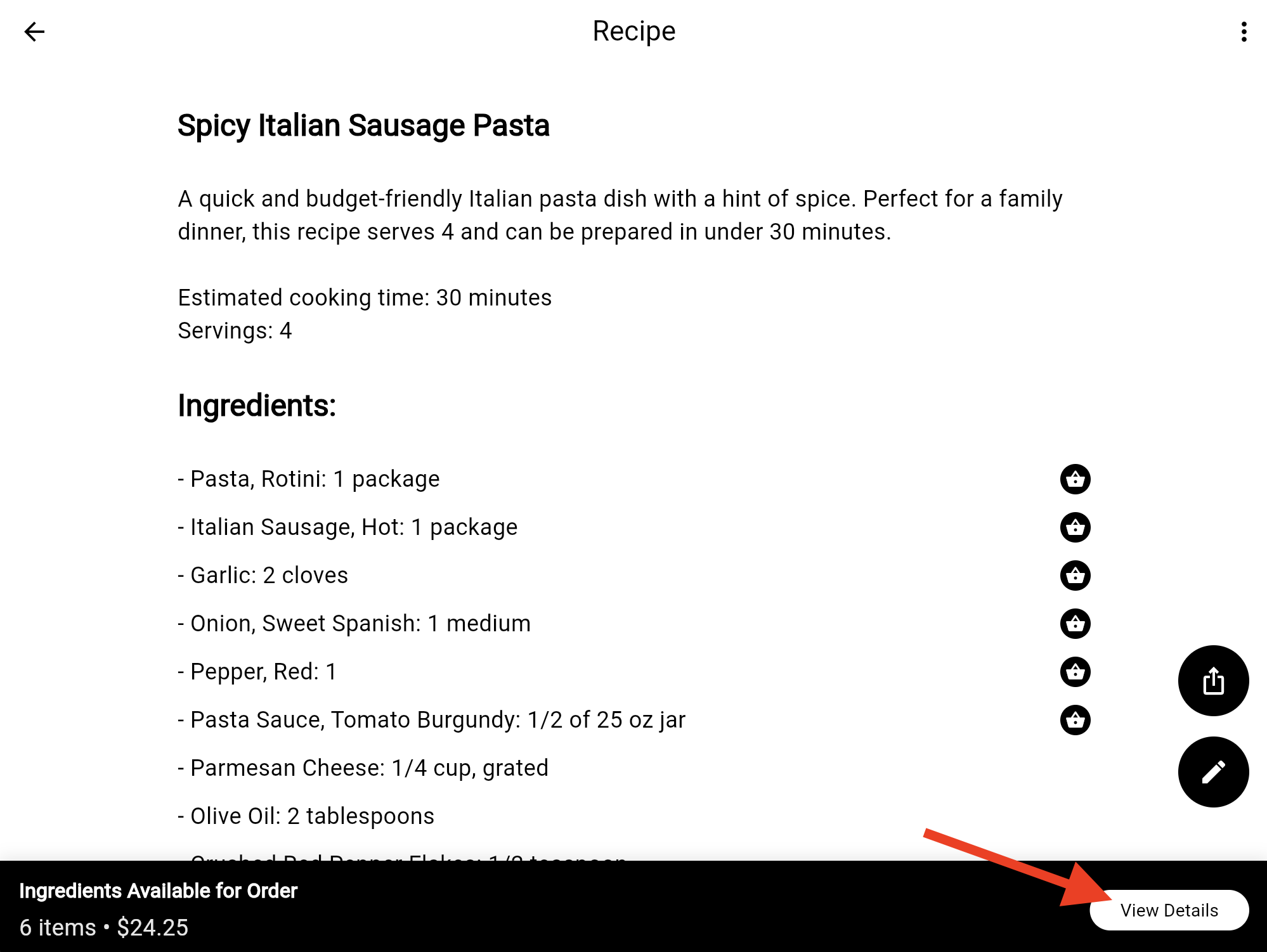
7. Once your recipe loads, you’ll see which ingredients are available for order. Press ‘View Details’.
8. Review the ingredients and press ‘Add to Cart’.
9. Your recipe will now be added to your cart. You can add as many meals as you like to your cart. When ready, click the cart link.
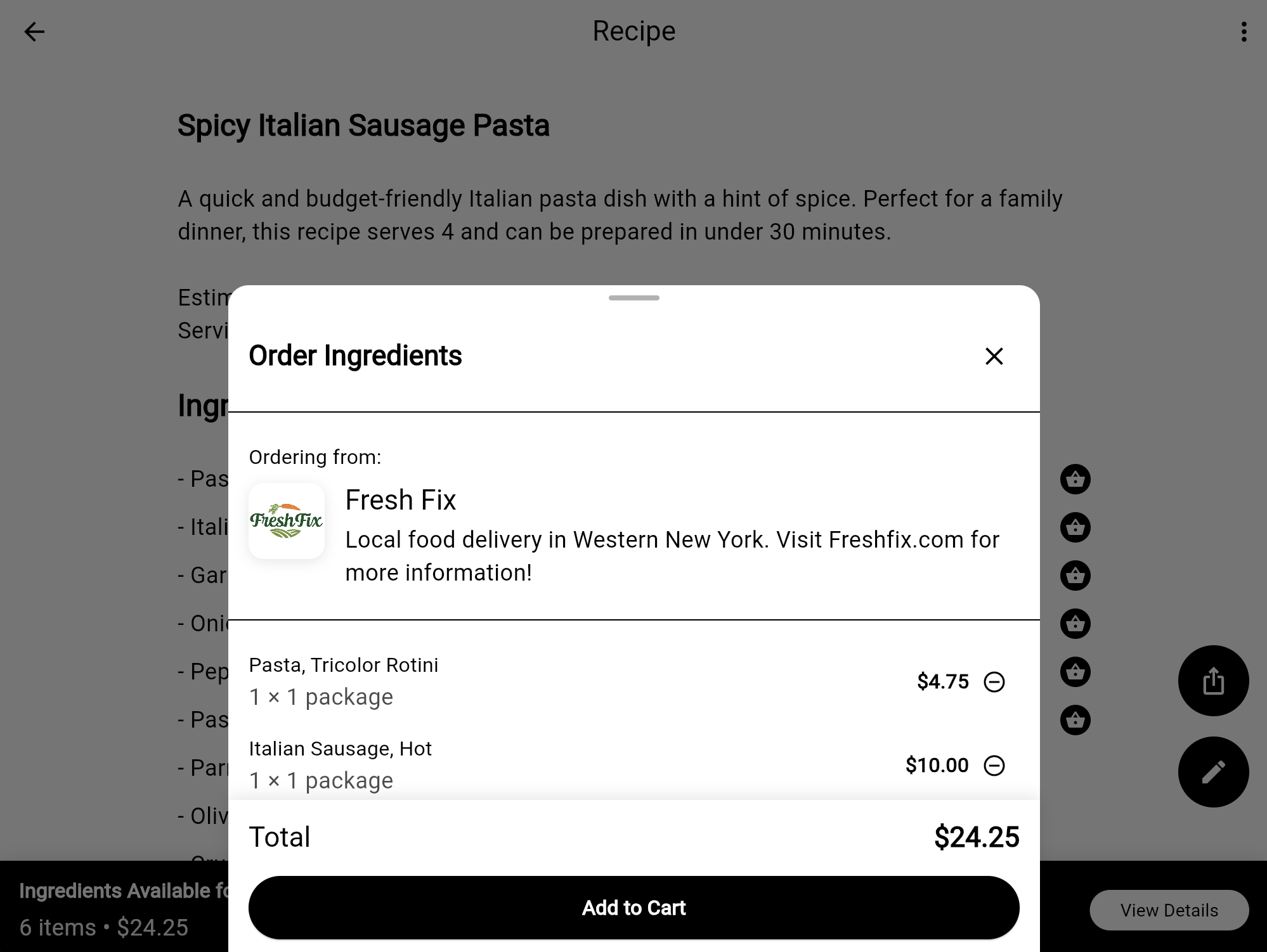
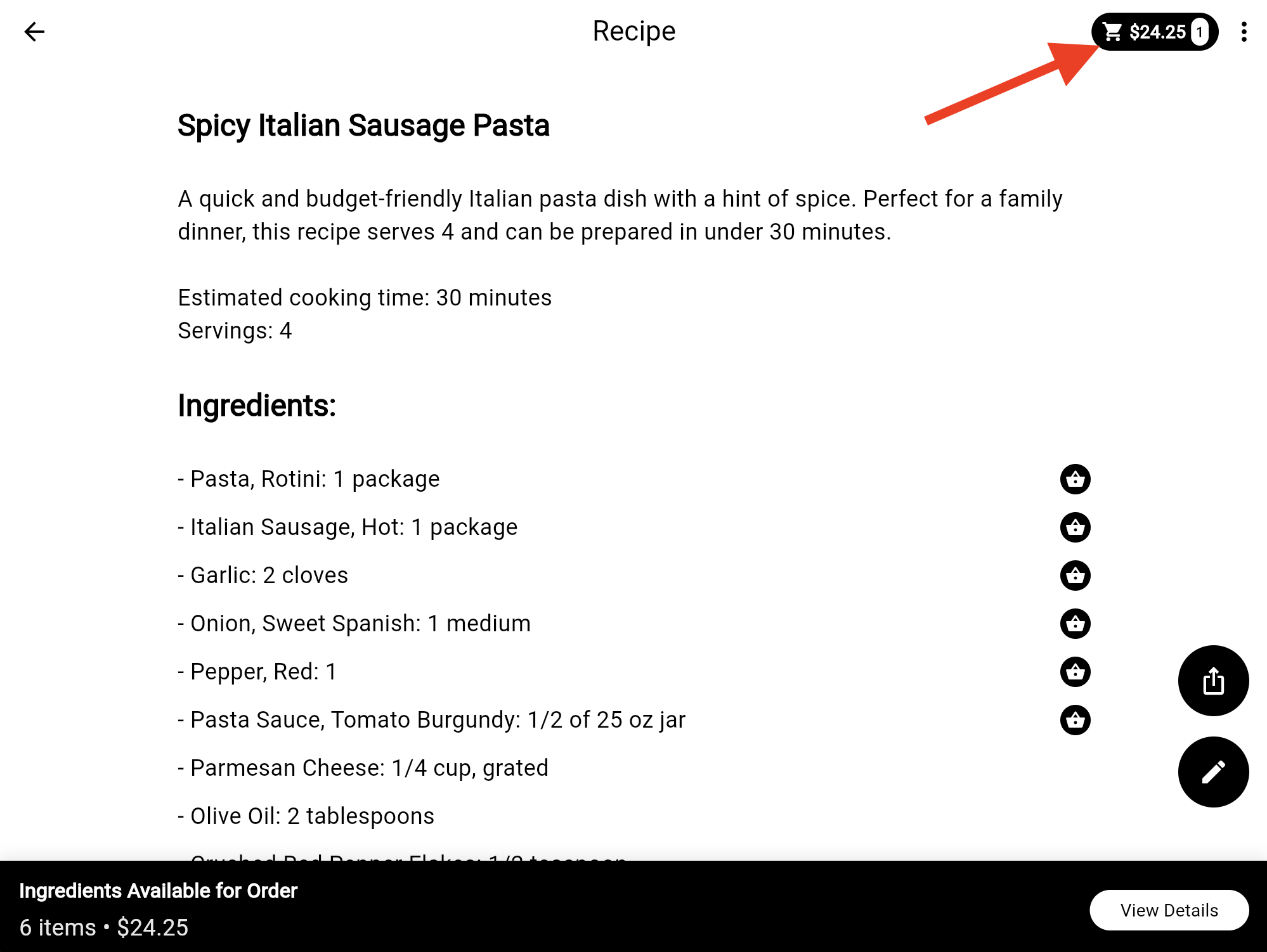
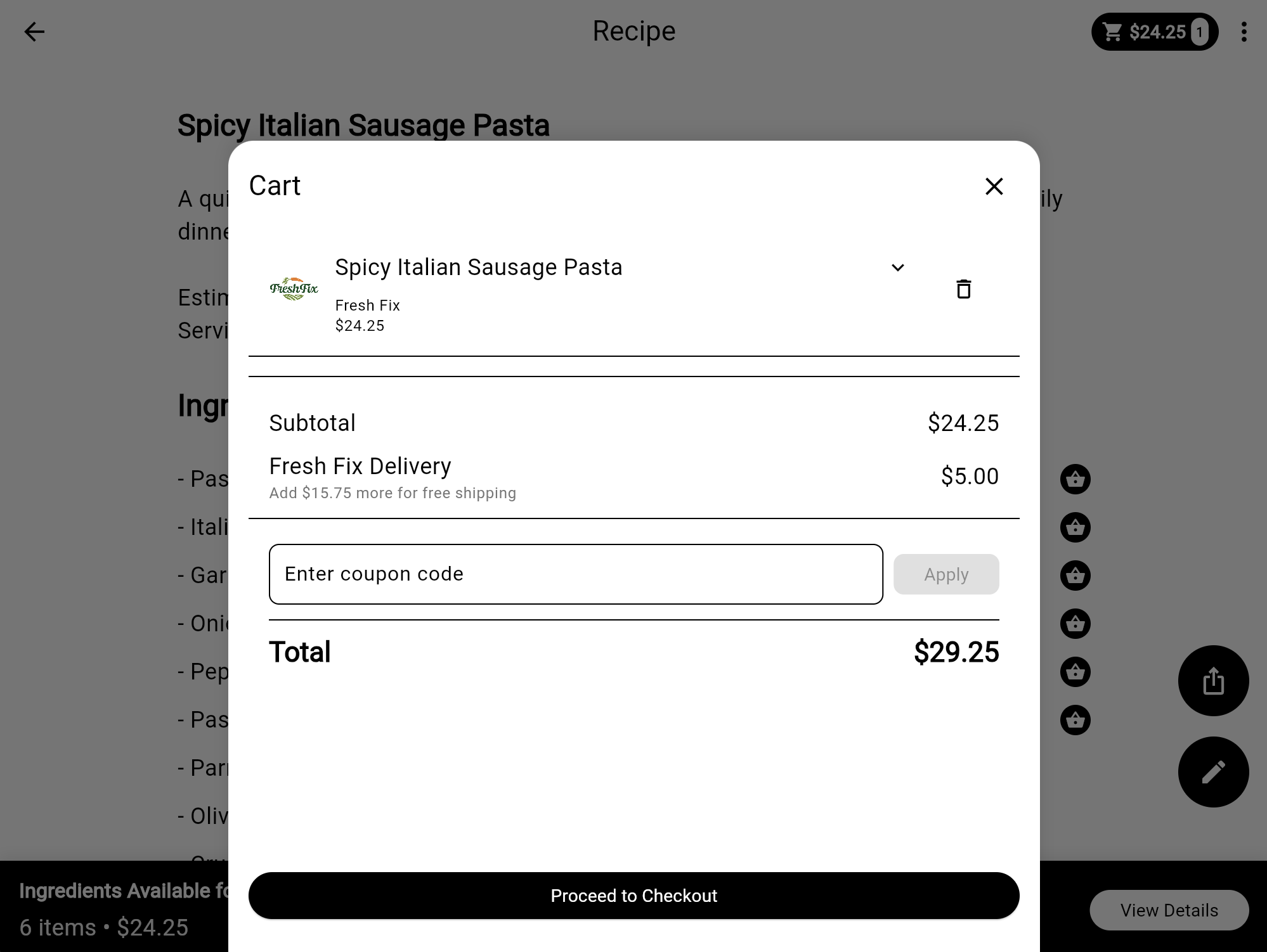
10. Review your order, apply a coupon code if you have one, and click ‘Proceed to Checkout’. Follow payment steps on the following pages to place your order.
That’s it! Local, real food, tailored to your tastes will be delivered to you on the food hub’s delivery date! If you have any issues or feedback, please drop us a line below! Happy cooking!